
Motorola Phones to Avoid Purchasing: A Practical Repair and Buying Guide
Some Motorola phones can still be perfectly useful, while others are a false economy once you allow for weak batteries, limited updates or difficult repairs. This plain-English guide explains what to check before buying new, secondhand or refurbished, and when a repair or setup may be the better option.
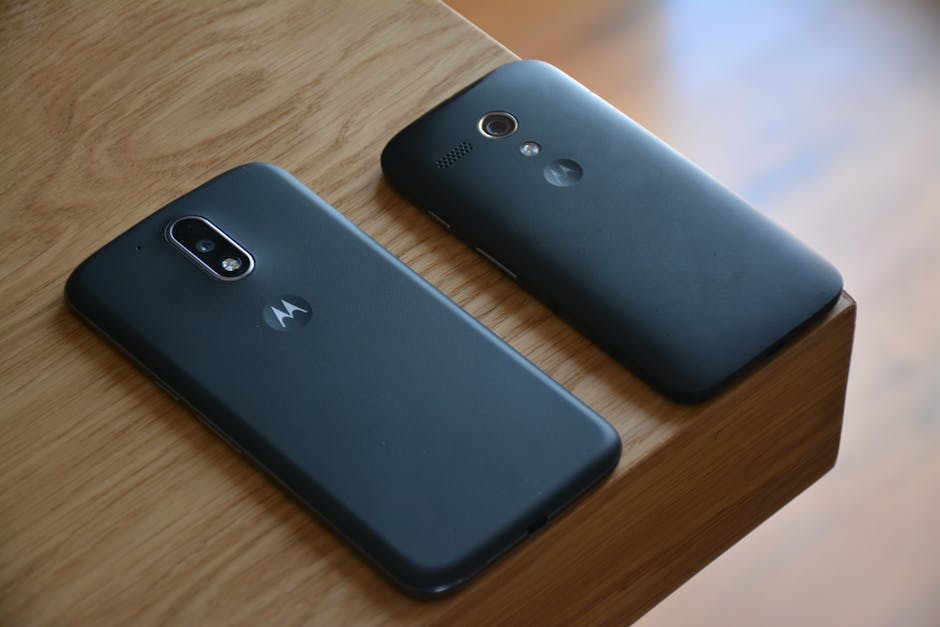
Searching for Motorola phones to avoid purchasing usually means you are trying not to waste money on a phone that looks like a bargain but becomes slow, unreliable or difficult to support. The model name is only part of the story. Age, storage, battery condition, software support and the way the phone has been looked after can matter just as much.
In my experience helping home users and small businesses, a reasonably priced Motorola can be a good everyday phone, but the wrong one can leave you paying twice: once for the handset and again for a battery, charging fault, screen or setup problem. Here is what I would check before buying, especially if you are looking at a used or refurbished device.
Motorola phones to avoid purchasing because they are too old
The first warning sign is not always a particular model. It is the age of the phone and whether it is still receiving sensible security and software support. A phone may turn on, make calls and look clean, yet still be a poor purchase if it is several years old and no longer receives important updates.
Older phones can also struggle with newer applications. Banking, authentication, email and business applications may gradually stop supporting old versions of Android. That does not mean an older Motorola is automatically useless, but it does mean you should know what you are buying it for.
Check the exact model, not just the family name
Motorola has used familiar names across several generations. A phone called a Moto G, for example, may be very different depending on the year, storage size and regional version. Two adverts can use nearly identical wording while offering noticeably different performance and update support.
Ask for the full model number, Android version and security update date. If a seller will not provide those details, I would be cautious. A clear photograph of the settings screen is more useful than a vague statement such as “good condition” or “latest Motorola”.
Motorola phones to avoid purchasing when the specification is too limited
Very basic phones can be fine for calls, messages and occasional browsing. Problems tend to appear when someone expects a low-cost handset to run lots of applications, store thousands of photos and remain quick for several years.
Pay attention to the following:
- Limited storage: a phone with very little built-in storage can fill up quickly after system updates, photos and applications are added.
- Low memory: limited RAM can cause applications to reload, the keyboard to lag and the phone to feel frozen when several tasks are open.
- Weak processor: an entry-level processor may be perfectly acceptable for basic use but frustrating for video calls, navigation or modern applications.
- Low-quality screen: a cheaper display is not always a problem, but replacement screens may be less worthwhile if the whole phone has a low resale value.
This is where asking “which Motorola phone should I buy” needs a proper answer. It depends on whether the phone is for a child, an older relative, a business user or somebody who takes lots of photos. Spending a little more on adequate storage and memory is often more sensible than buying the cheapest available model.
Battery health is a major reason to avoid a Motorola bargain
A used phone battery loses capacity over time. It may still show 100 percent after charging, but that only tells you the current charge level, not how much capacity the battery has left compared with when it was new.
Warning signs include a phone that drops rapidly from full charge, becomes unusually warm, switches off with plenty of charge showing, or needs charging several times a day. A swollen battery is more serious. If the screen or back cover is lifting, stop using the phone and arrange proper advice rather than pressing it back down or continuing to charge it.
Battery replacement may be possible, but it is not always economical. The price depends on the exact handset, the availability of a suitable battery, the construction of the phone and the quality of the replacement part. A cheap phone with a worn battery can quickly become a false economy.
What to check before buying refurbished Motorola phones
Refurbished Motorola phones can be a sensible choice when the device has been properly inspected, reset and tested. Refurbished does not simply mean “someone wiped the phone and put it in a box”. A responsible seller should be able to explain what has been checked and what condition the battery and screen are in.
Before buying, ask:
- Is the phone network unlocked, or is it restricted to one network?
- What is the exact model and storage capacity?
- Has the screen, battery, charging port or back cover been replaced?
- Does the phone have a clear return or warranty arrangement?
- Has it been removed from the previous owner's account?
- Is the IMEI clean and is the phone suitable for use in the UK?
Account locking is particularly important. A phone may be reset but still ask for the previous owner's Google account during setup. That is not a fault you should try to bypass. The previous owner needs to remove the device correctly, or the seller needs to resolve it.
Also be wary of photographs that only show the front. Ask about dents around the frame, damage to the camera glass, loose charging connections and whether all buttons work. A clean-looking screen does not prove that the phone has been treated well internally.
Motorola phone repair: when fixing it makes sense
Motorola phone repair can be worthwhile when the handset is otherwise in good condition and still meets your needs. Common jobs include battery replacement, charging faults, damaged screens, broken buttons and software problems.
A charging problem does not always mean the charging port needs replacing. Dust and compacted lint can prevent a cable making proper contact. The cable or charger may also be faulty, or the phone may have a software issue. This is why I prefer to diagnose the fault before ordering a part. Replacing the wrong component only adds cost and delay.
Screen repair needs a similar bit of common sense. If the glass is cracked but the picture and touch response are normal, one type of repair may be possible. If the display is black, has lines or only responds in certain areas, the required part and price may be different. On an older low-value handset, replacement may cost close to the phone's real value.
Water and liquid damage are harder to predict. A phone can appear to recover and then develop corrosion days or weeks later. Switch it off, do not keep charging it and get advice promptly. Do not put it in rice; that does not remove liquid from the areas that matter and can introduce more debris.
Do not forget software support and phone setup
A good phone setup is part of getting value from a device. Whether the Motorola is new, used or refurbished, check for system updates before moving all your data across. Install only the applications you need, review permissions and make sure the owner's Google account is the one connected to the phone.
Set up a screen lock, fingerprint or other suitable security method, and confirm that photos, contacts and important files are backed up. Do not assume that a new handset automatically contains a safe copy of everything. If the old phone is damaged or will not turn on, data transfer may need a different approach.
For a small business, also check email, two-factor authentication, work applications and access to shared files before handing the old phone back or wiping it. Losing access to an authentication app can be more disruptive than the phone problem itself.
How long do Motorola phones last?
There is no single answer because usage and maintenance make a real difference. A phone used mainly for calls may remain useful for longer than one used for navigation, video, gaming and work every day. Battery wear, software support and accidental damage are usually more important than the badge on the back.
If a phone is slow, check the available storage, remove unused applications, install updates and restart it properly. If the battery is failing, a replacement may give it a useful second life. If it is old, unsupported and suffering several hardware faults, replacing it is normally the sensible route.
Before buying, compare the total cost rather than just the advert price. A slightly newer phone with better storage, a healthier battery and clearer support can be cheaper than a bargain handset that immediately needs repair.
When to ask for help before you buy or repair
If you are unsure about a secondhand phone, ask the seller for the model details and photographs first. A repair professional can also help you assess whether a fault sounds like a simple software issue, a replaceable part or a sign that the phone is not worth spending money on.
I am happy to explain the sensible options without pretending every phone is worth saving. If you need help with a Motorola or another handset, you can contact Mad Tech Heads about phone repair. I can also help with setup, updates, backups and moving your information safely.
For more about the sort of practical support I provide for home users and small businesses, you can read about Mad Tech Heads. The main thing is not to be rushed by a cheap advert. Check the exact model, battery, software support and account status, then decide whether buying, repairing or replacing is genuinely the best value.
Written by
Simon GilbertHi, I'm Simon. I've been working with computers and technology for years, helping people fix problems, build websites, and grow their businesses online. Through Mad Tech Heads, I share tips, guides, and advice based on real-world experience to help make technology a little less complicated.